C++ Developing Environment

C++, is a really… crazy language. I don’t mean it like in a bad way, but it’s really one of those non-straightforward coding languages.

This language needs a proper editing and building tool; I usually use codeblocks. That’s probably the easiest method for a beginner like me.

Download the codeblock file here: http://www.codeblocks.org/downloads

Download the binary release unless you want to do the ‘other way’.

Download the mingw-setup version, unless you want to do otherwise and suffer through not having g++ like me.
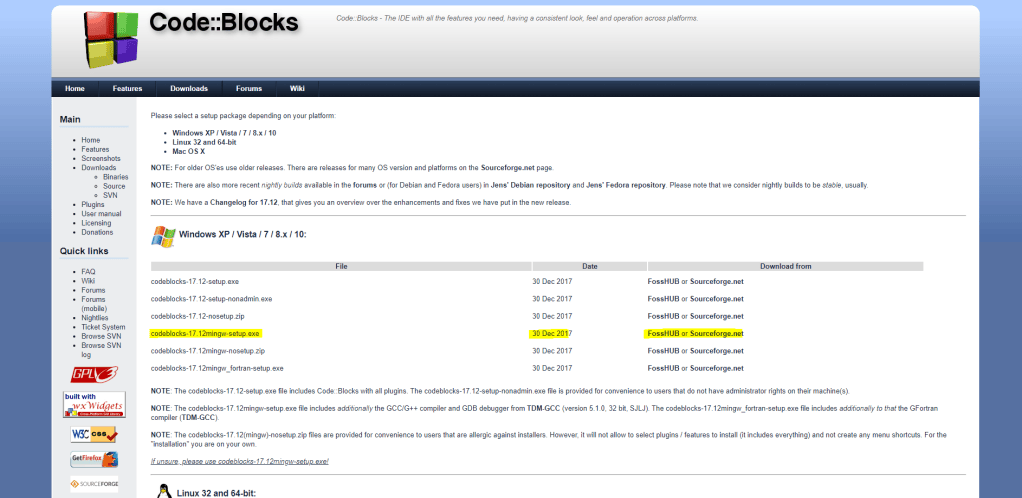
After downloading, install the application; it will automatically download g++ compiler with you if done correctly.

To develop simple C++ codes just for competitions, just make a console application.
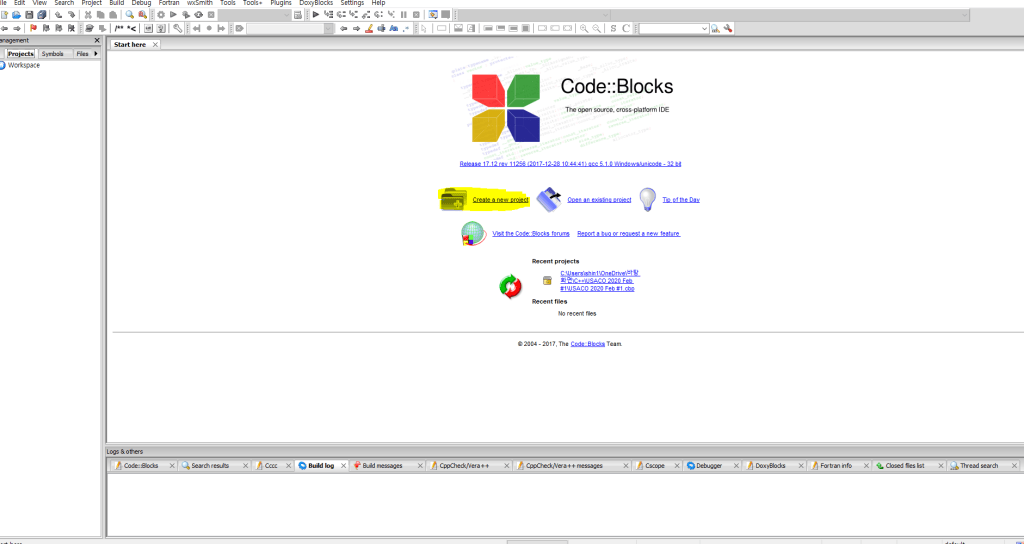
Create a new project;
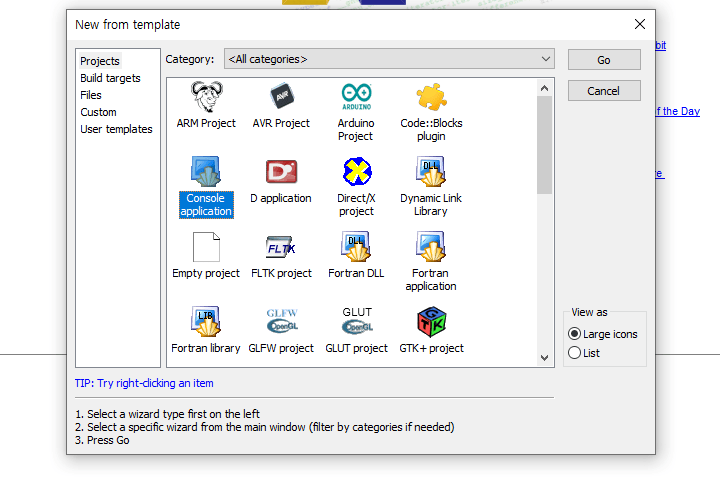
Create a Console Application.

Go through all the process with changes that are necessary; such as the location of the file, or the compiler you wish to use (just leave as same if confused.)
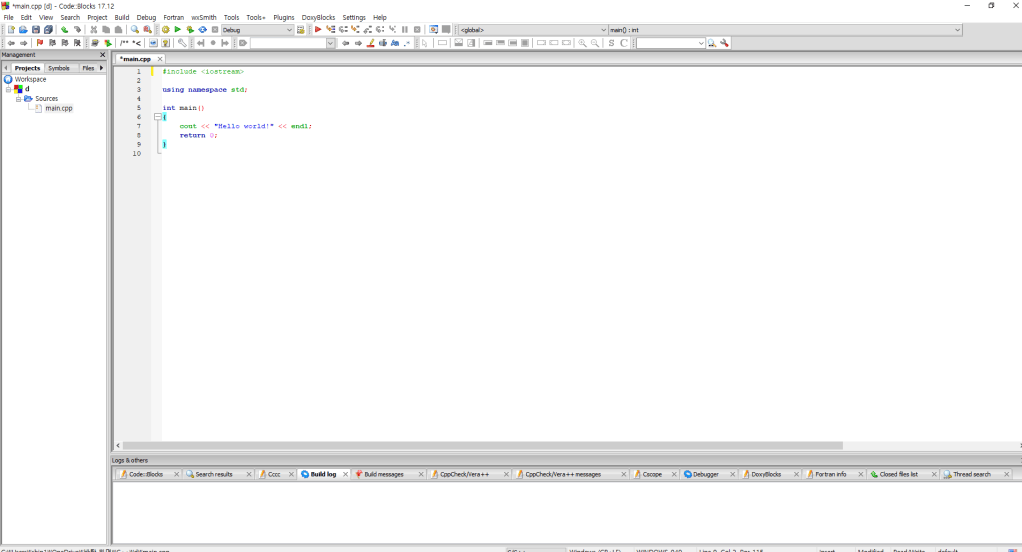
The project should look like this; open up the sources folder and open main.cpp.

*submit main.cpp when submitting to USACO.

Now write your code in main.cpp and build with the green play button in the tools bar.

Yup. That’s pretty much it.

In Macs, you can just download the XCode application from App store and follow pretty much the similar process from before.
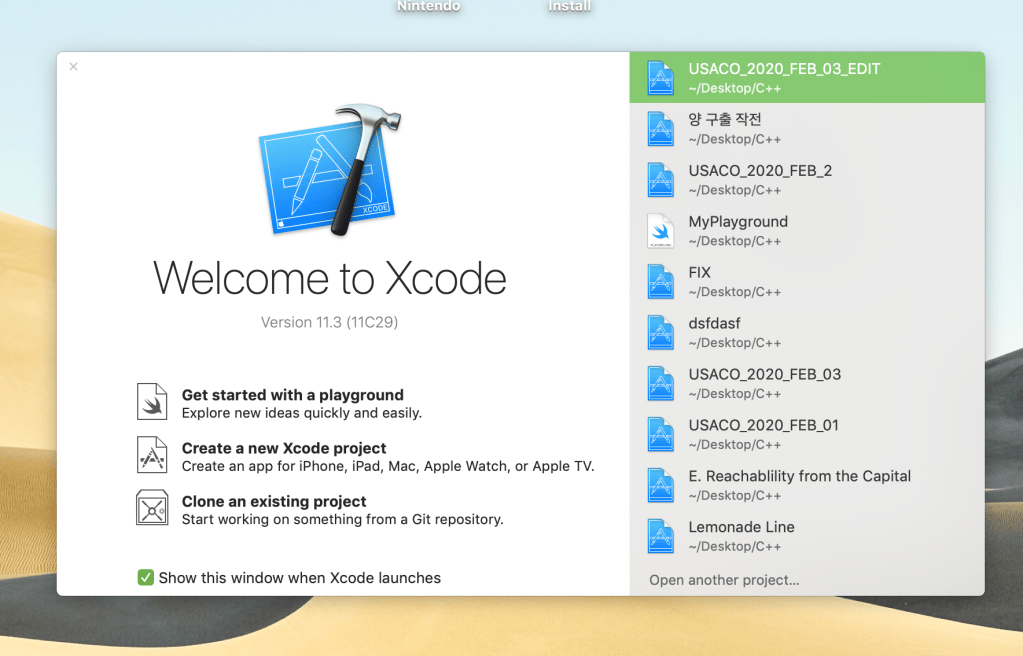
Create a new Xcode Project.
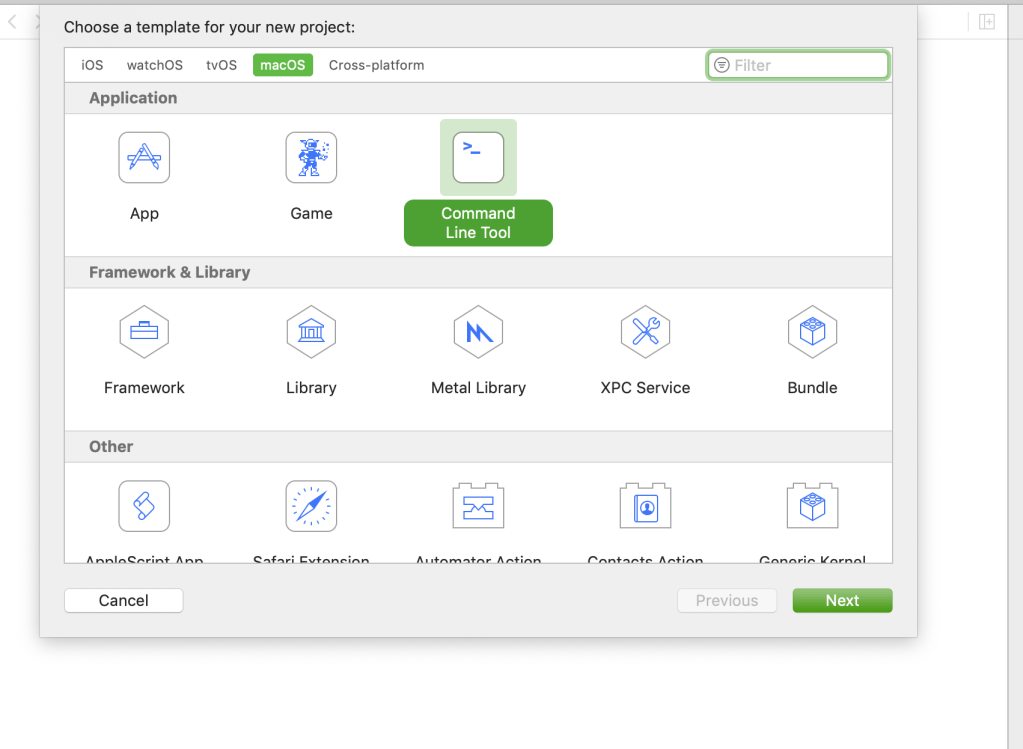
Similar as before, create a Command Line Tool.
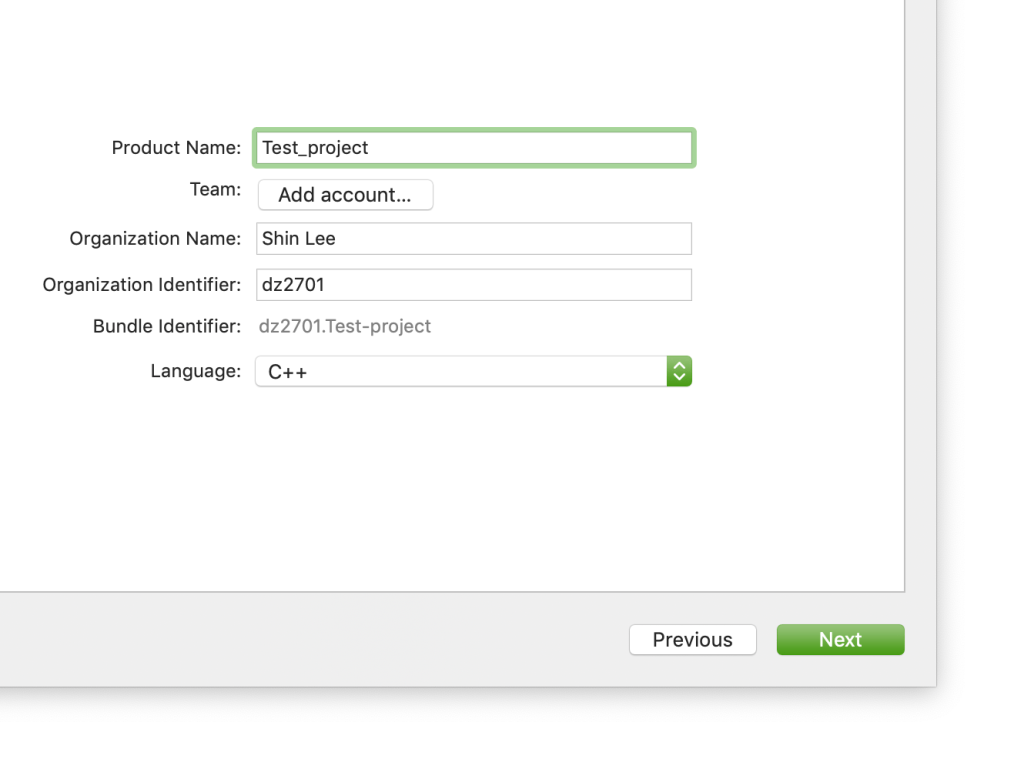
Enter all information necessary, and Don’t forget to set the Language as C++, NOT swift.
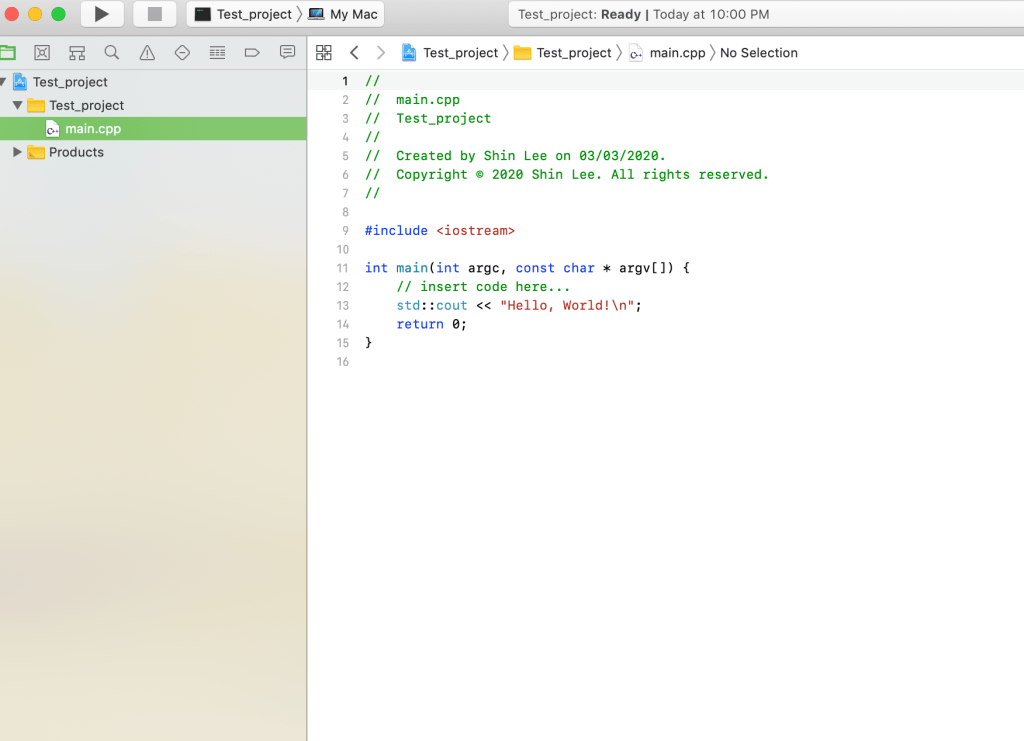
… and there we are! this is the usual C++ developing environment I use.

Hope it helped.
Python File Editor/Builder

Ehh. There are many ways you can edit a Python file and build them, but based on my experience Atom is the most convenient way to code python. (kind of. yeah.)

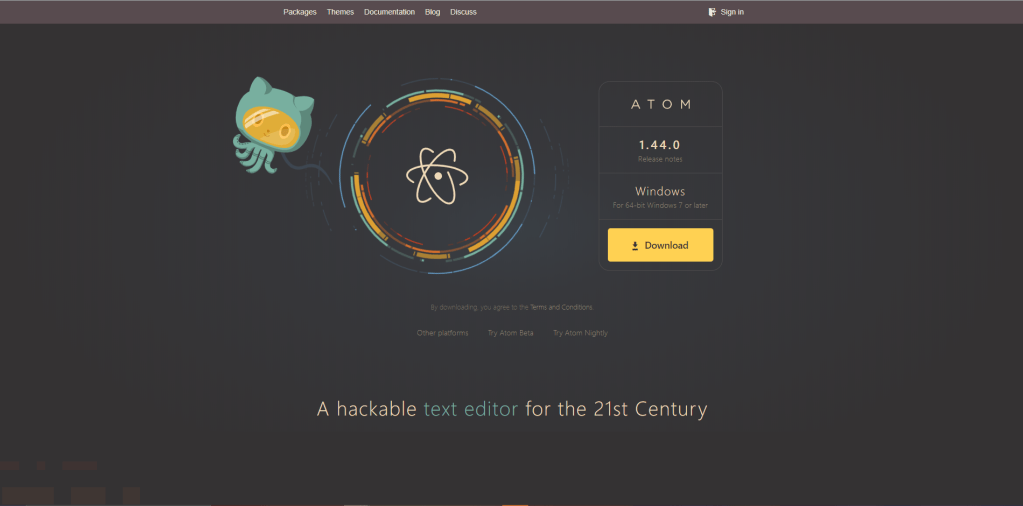
you can download atom from here: https://atom.io/

Atom is a free application you can use to develop pretty much anything on there. But I use it mainly to develop Python and HTML, CSS only and C++ I usually use codeblocks on windows or Xcode on Mac.

Main site you can download atom, the developing application.

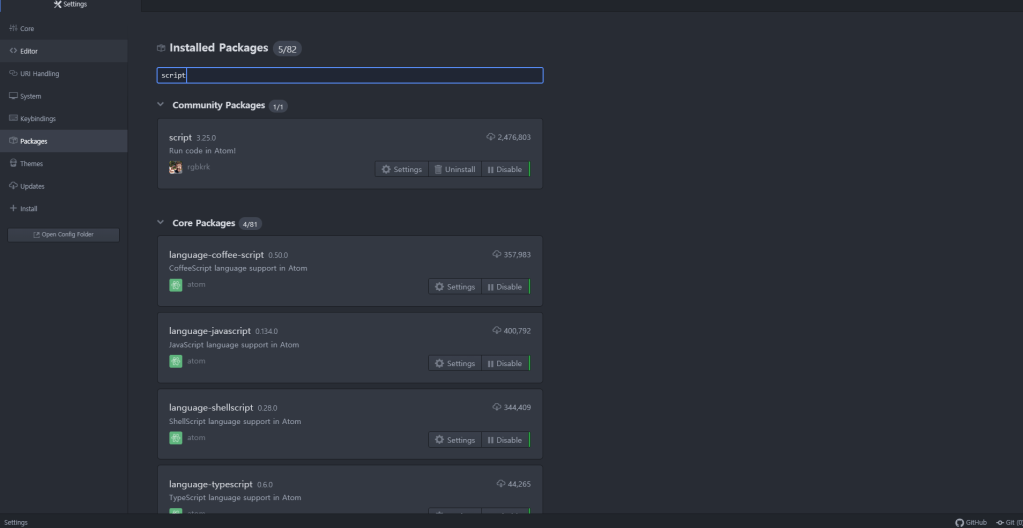
There is one package you should have: script.

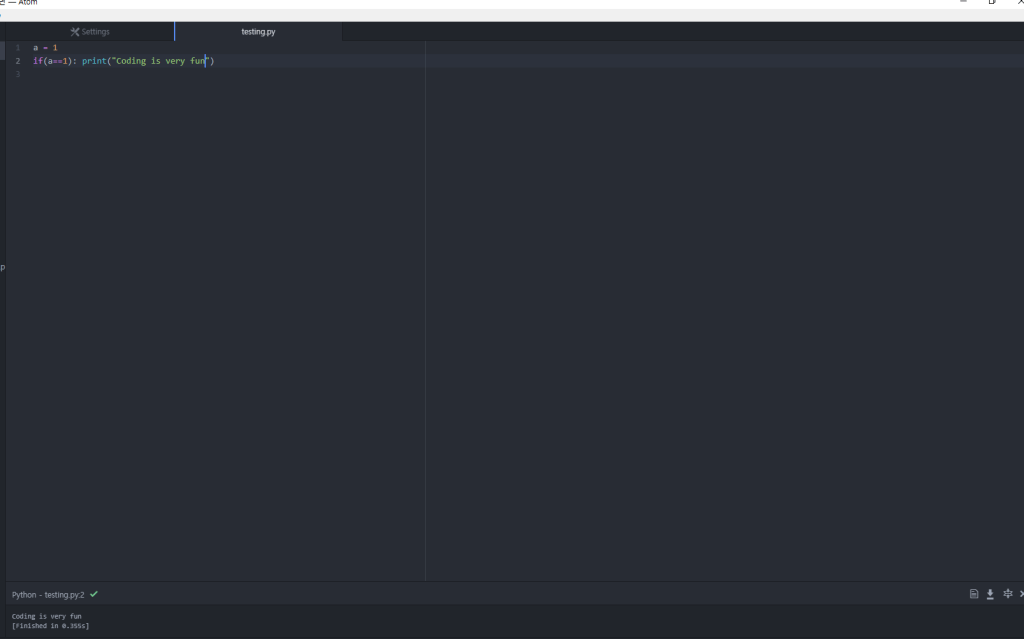
That package lets you build and run code. The supporting languages are in the description 😐

You can find the script package in the packages tab in the settings page.

Once you set that up, its a lot easier to develop codes in atom. The only thing is, you really can’t get keyboard input in this environment; I would recommend using something else if that’s what you are looking for.

You can build the code by pressing shitf+alt+B in windows by default; the result comes up below.

Tips On Competitive Coding

I know, I’m not an advanced coder, but there are some things that might help you with time reduction and more efficiency on competitions.

  1. Fast I/O
ios_base::sync_with_stdio(false);
cin.tie(NULL);

Put this code in your main function, and it will fasten your cin and cout..

2. Header

#include <bits/stdc++.h>

Many people might know this, but this header file includes most of the stuff you probably need. Also USACO grading computers support this so that’s another time saver.

3. I/O from file

freopen("filename.in", "r", stdin);
freopen("filename.out", "w", stdout);

There are many ways to get input from a file and output to a file, but this is the way I use (I know, I didn’t close it back, but it should be fine)

Python basic installation and pip guide

I mean, I’m not an expert or anything similar, but I can give basic guides to anyone who are too lazy to search the web for how to installing python or how to use pip and installing those fancy headers.

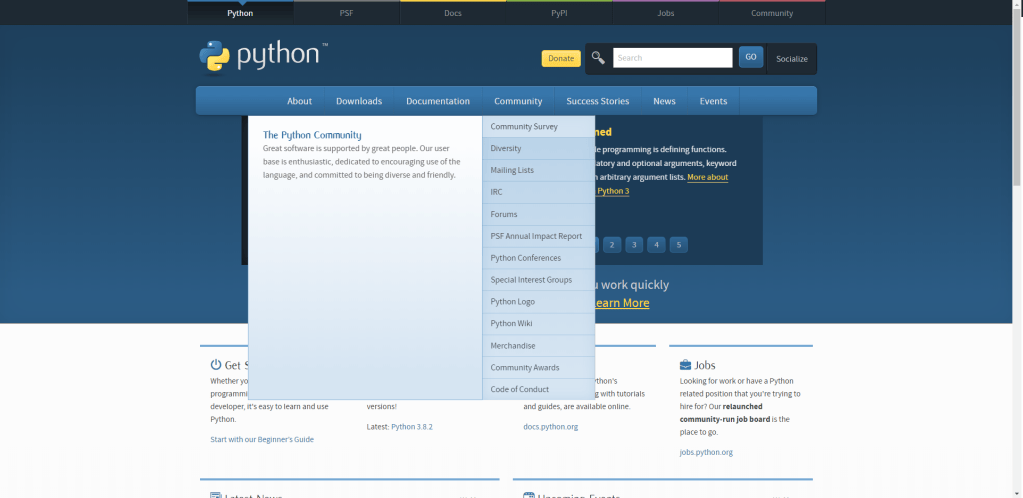
Obviously, you can install python from its official website: https://www.python.org/

Official Python site. GO to Downloads and download the newest version.

I don’t know how else you would install python;

You can access most of the former versions of python from that site.

Also, I recommend not downloading multiple versions at once; it only causes confusion if you don’t want to intentionally work with lower versions.

When you install Python, you will automatically install pip or easy_install when you do.

I prefer pip, which can be easily used through cmd or terminal (mac).

pip usage is very simple:

pip install packagename

Package installation finished.

When you might want to uninstall it, you can easily do:

pip uninstall packagename

Introduce Yourself (Example Post)

This is an example post, originally published as part of Blogging University. Enroll in one of our ten programs, and start your blog right.

You’re going to publish a post today. Don’t worry about how your blog looks. Don’t worry if you haven’t given it a name yet, or you’re feeling overwhelmed. Just click the “New Post” button, and tell us why you’re here.

Why do this?

  • Because it gives new readers context. What are you about? Why should they read your blog?
  • Because it will help you focus you own ideas about your blog and what you’d like to do with it.

The post can be short or long, a personal intro to your life or a bloggy mission statement, a manifesto for the future or a simple outline of your the types of things you hope to publish.

To help you get started, here are a few questions:

  • Why are you blogging publicly, rather than keeping a personal journal?
  • What topics do you think you’ll write about?
  • Who would you love to connect with via your blog?
  • If you blog successfully throughout the next year, what would you hope to have accomplished?

You’re not locked into any of this; one of the wonderful things about blogs is how they constantly evolve as we learn, grow, and interact with one another — but it’s good to know where and why you started, and articulating your goals may just give you a few other post ideas.

Can’t think how to get started? Just write the first thing that pops into your head. Anne Lamott, author of a book on writing we love, says that you need to give yourself permission to write a “crappy first draft”. Anne makes a great point — just start writing, and worry about editing it later.

When you’re ready to publish, give your post three to five tags that describe your blog’s focus — writing, photography, fiction, parenting, food, cars, movies, sports, whatever. These tags will help others who care about your topics find you in the Reader. Make sure one of the tags is “zerotohero,” so other new bloggers can find you, too.

Create your own website, free on WordPress.com.Create your own website.
Start free