C++, is a really… crazy language. I don’t mean it like in a bad way, but it’s really one of those non-straightforward coding languages.
This language needs a proper editing and building tool; I usually use codeblocks. That’s probably the easiest method for a beginner like me.
Download the codeblock file here: http://www.codeblocks.org/downloads
Download the binary release unless you want to do the ‘other way’.
Download the mingw-setup version, unless you want to do otherwise and suffer through not having g++ like me.
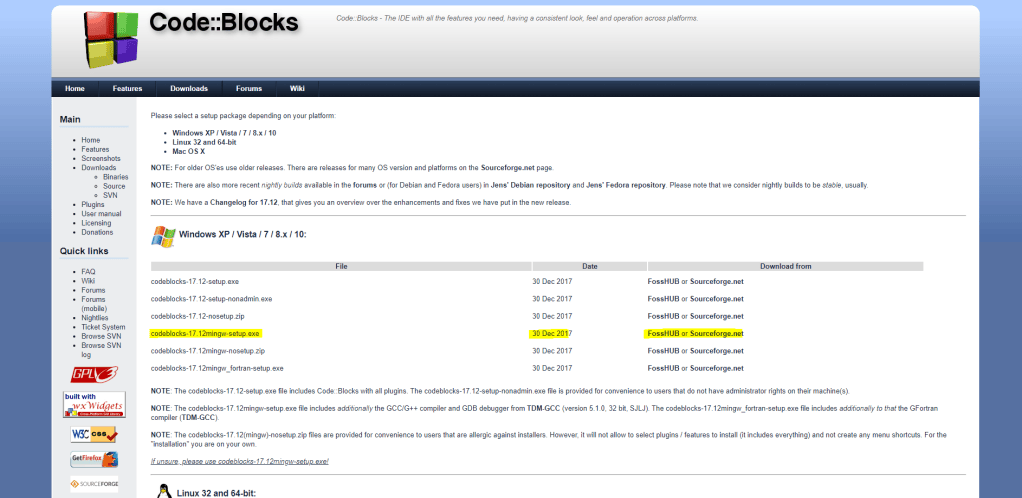
After downloading, install the application; it will automatically download g++ compiler with you if done correctly.
To develop simple C++ codes just for competitions, just make a console application.
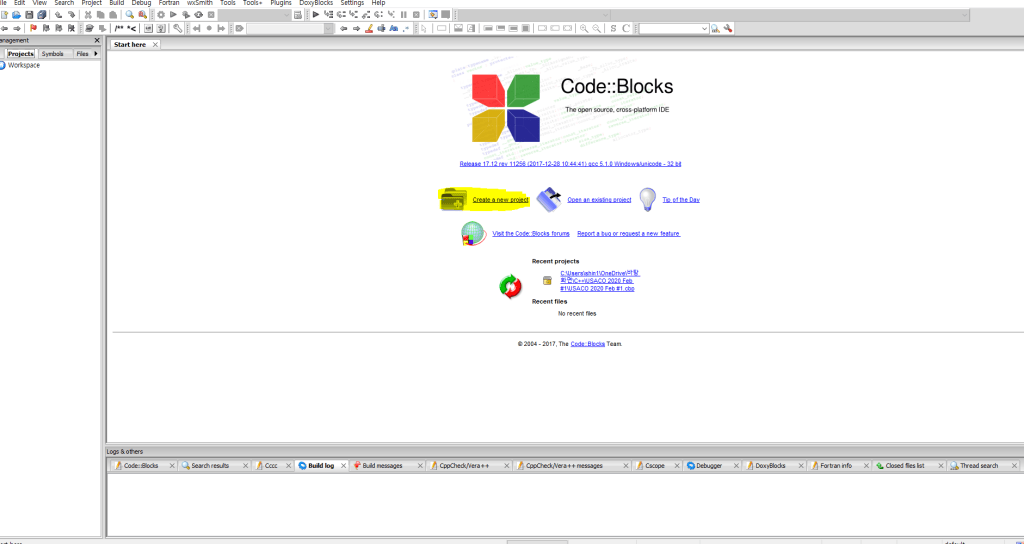
Create a new project;
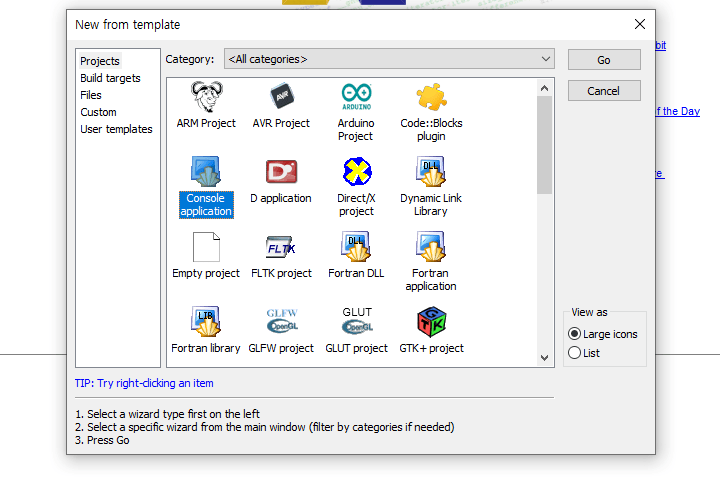
Create a Console Application.
Go through all the process with changes that are necessary; such as the location of the file, or the compiler you wish to use (just leave as same if confused.)
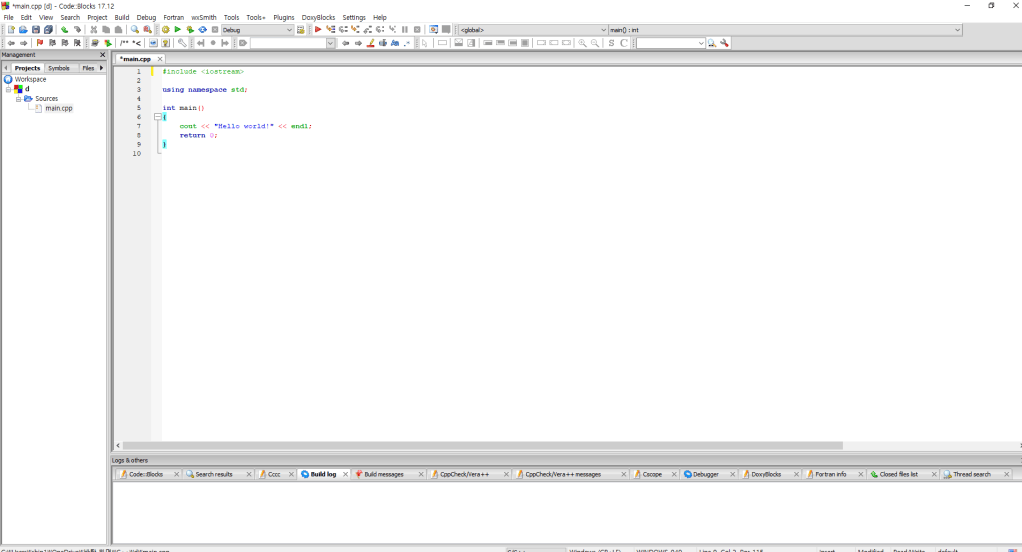
The project should look like this; open up the sources folder and open main.cpp.
*submit main.cpp when submitting to USACO.
Now write your code in main.cpp and build with the green play button in the tools bar.

Yup. That’s pretty much it.
In Macs, you can just download the XCode application from App store and follow pretty much the similar process from before.
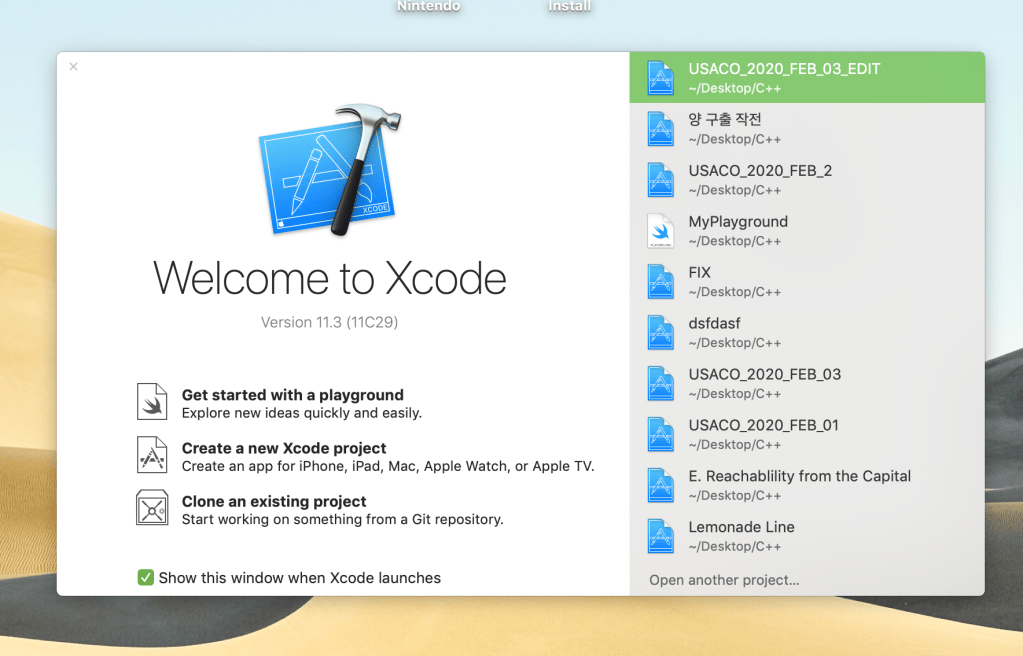
Create a new Xcode Project.
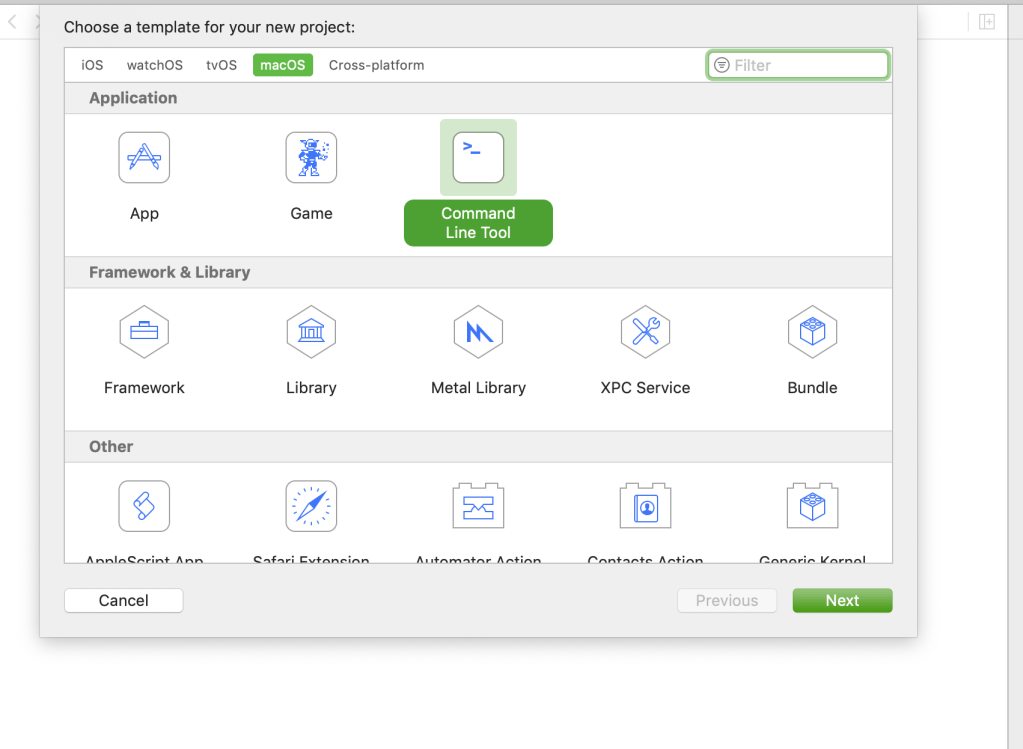
Similar as before, create a Command Line Tool.
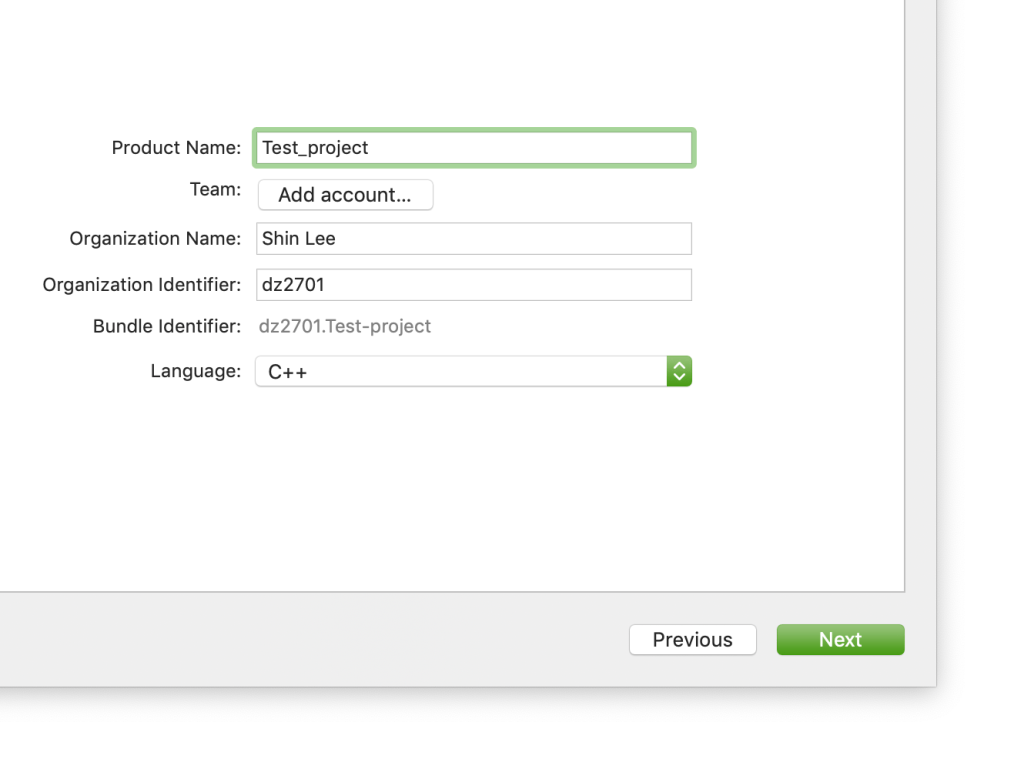
Enter all information necessary, and Don’t forget to set the Language as C++, NOT swift.
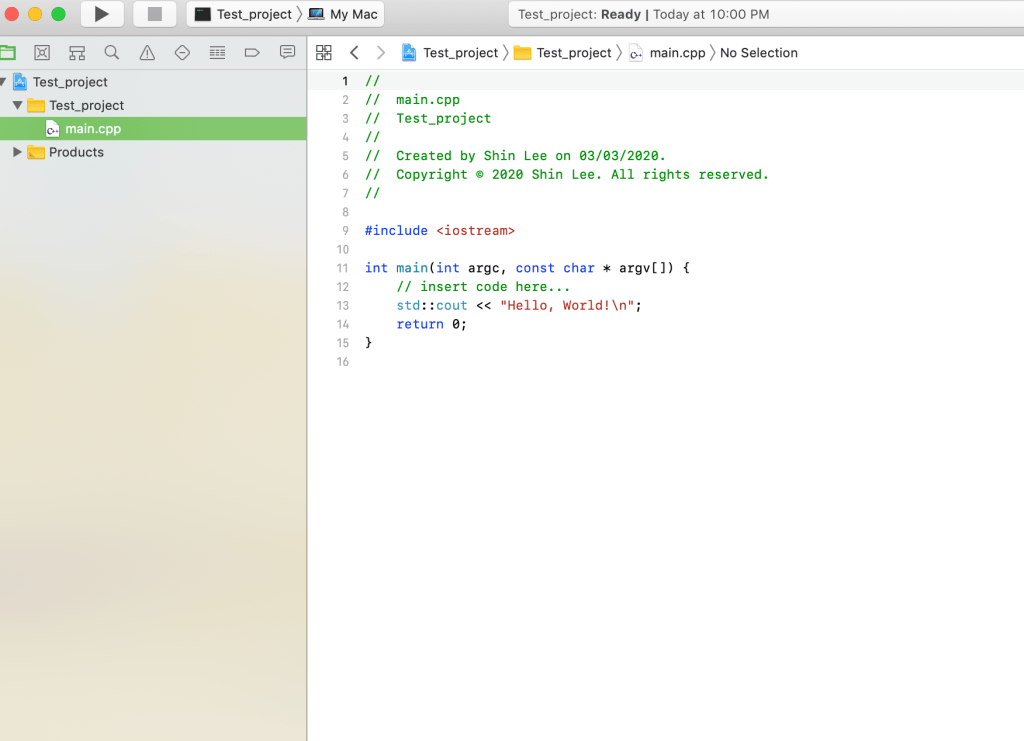
… and there we are! this is the usual C++ developing environment I use.
Hope it helped.

